AutonoMe
A screen-time app concept for 11–14 year olds that uses behavioural nudges to build self-control instead of imposing parental limits, with a study plan to test whether it works.
- Role
- Intervention design (team); study design (solo)
- Team
- Team (phase 1), solo (phase 2)
- Context
- Design Psychology module, Imperial College London
- Year
- 2021
Outcome
Delivered the app concept with the team, then my own four-week study plan to test whether it works, with the ethics of researching with young people built in.
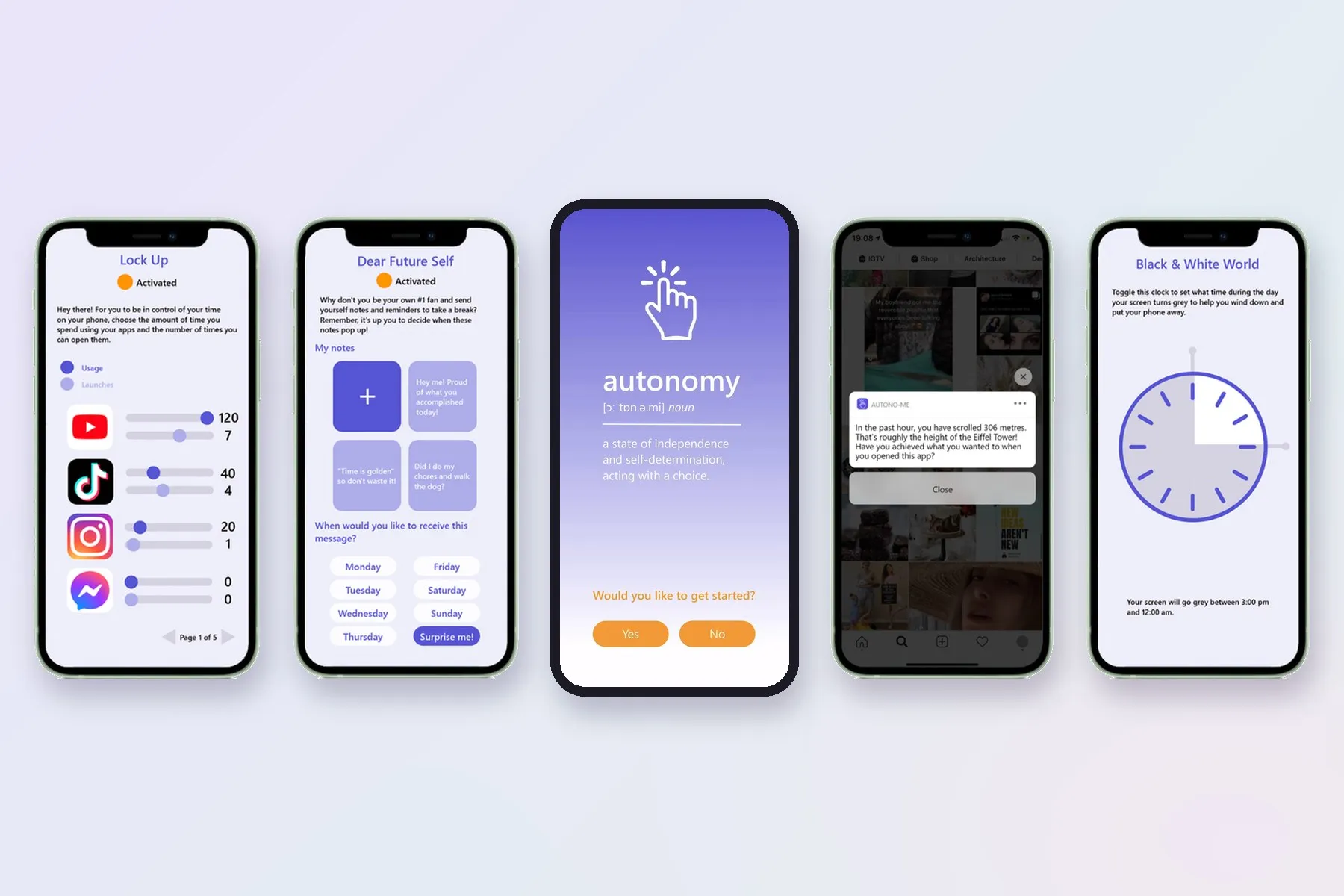
AutonoMe was a project for Imperial’s Design Psychology module. The main deliverable was the concept: an app that uses behavioural nudges to help 11–14 year olds understand and manage their own phone use. I then wrote a study plan to show how we’d test whether it worked, with rigorous evaluation and the ethics of researching with young people built in.
Mission: help 11–14 year olds recognise the nudges that shape how they use their phones and how their data is collected, and let them decide what to do about it.
The problem with screen-time apps
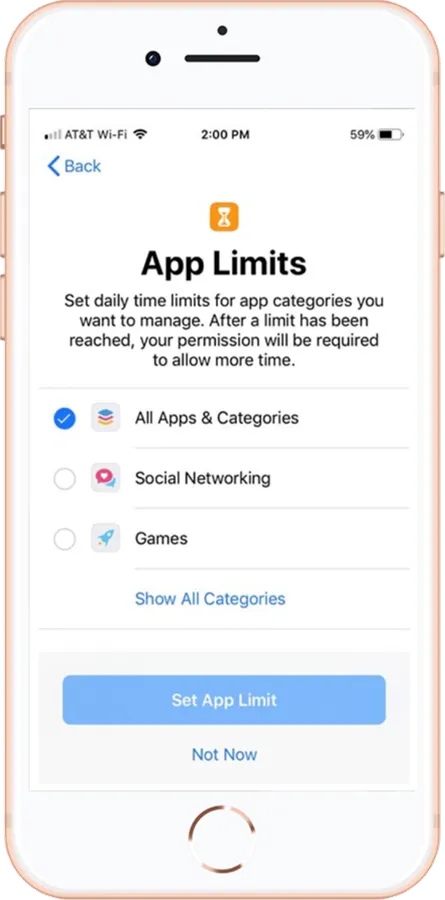
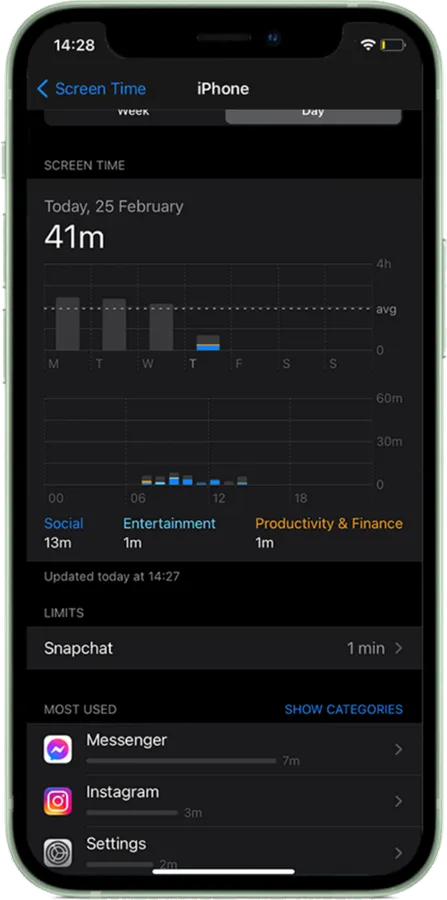
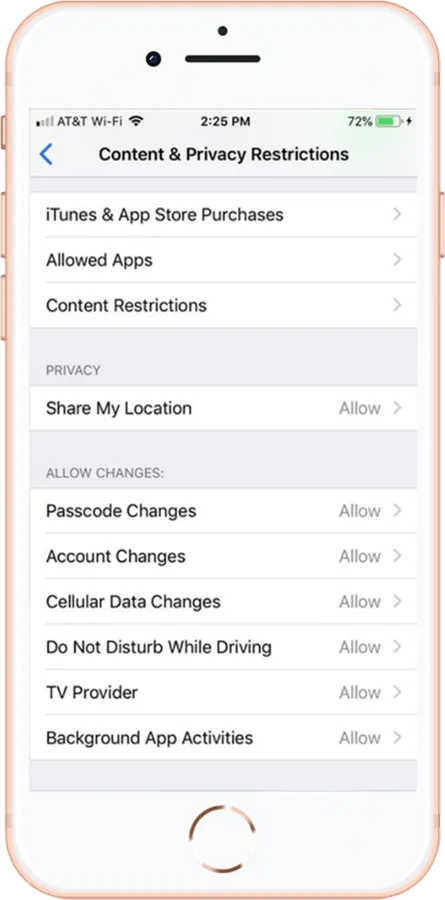
Most screen-time tools, like Apple’s Screen Time, are built around limits and totals. For young teens, that approach has three problems:
All screen time is treated as bad
Time on a homework app counts the same as time on an endless feed, so the numbers say nothing about whether the time was well spent.
No notion of qualityPeople can't change a habit they can't see clearly.
Parents set the limits
Limits are imposed from outside, which undermines the self-discipline young teens are trying to build.
AutonomySelf-determination theory: control from outside weakens the motivation to change from within.
Totals bring guilt, not change
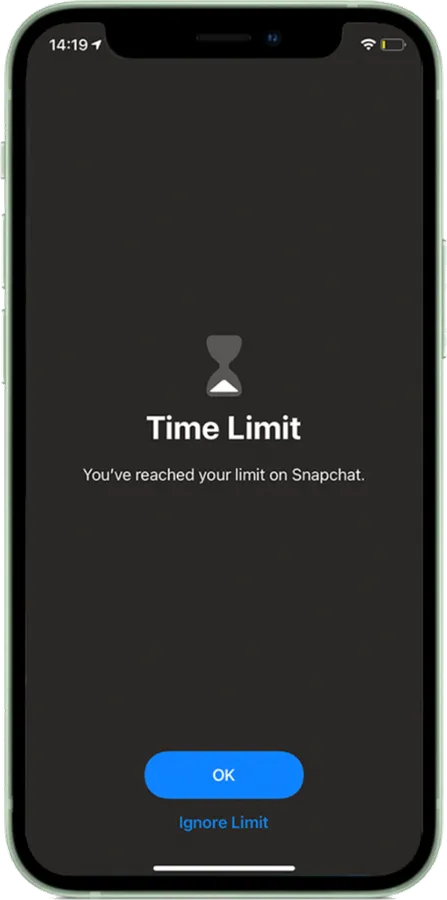
Weekly figures and blunt time-limit screens are easy to dismiss with “ignore limit”, and the guilt they cause leads to burnout rather than better habits.
HabituationWarnings that appear the same way every time soon stop being noticed.
The design (phase 1, team)
AutonoMe offers optional tools in two groups. Each one is built on a specific idea from behavioural science.
Educational tools: spot the nudge
These flag the tricks that keep you scrolling or sharing.
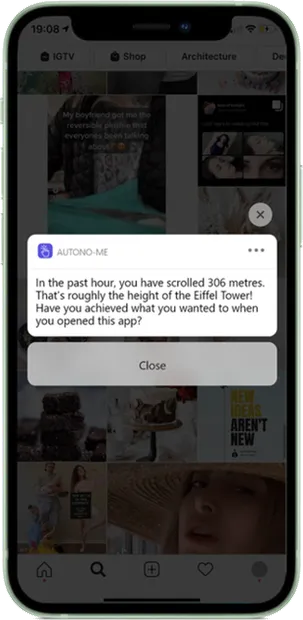
Not-So-Infinite Scroll
Shows how far you've scrolled, and what you opened the app to do.
Stopping cuesInfinite feeds remove the natural points where people decide to stop. A distance counter puts one back, and the reminder of your original goal prompts reflection.
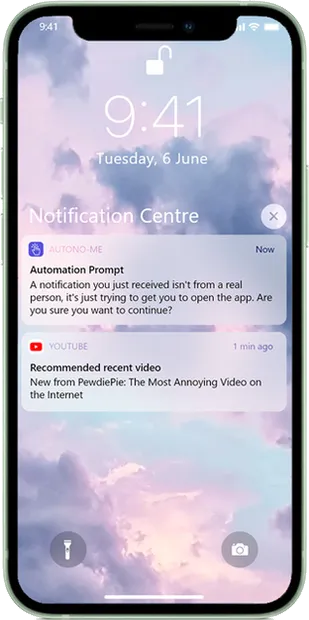
Automation Prompts
Points out when a notification wasn't sent by a person.
Transparent triggersMany notifications are automated triggers designed to pull you back in. Labelling them helps people recognise the nudge instead of reacting to it.
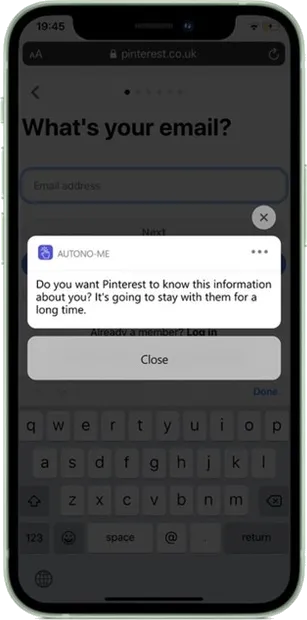
Form Alerts
Asks whether a site really needs the personal data it wants.
Positive frictionA short pause at the moment of sharing moves the decision from habit to deliberate thought, which counters the gap between caring about privacy and acting on it.
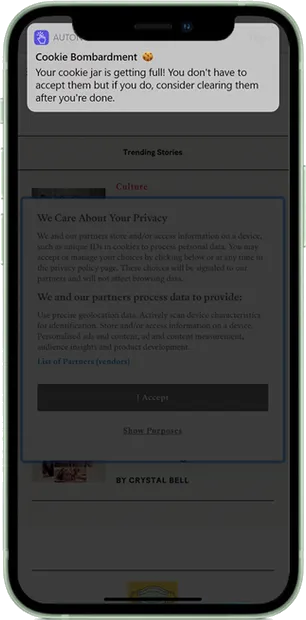
Cookie Bombardment
Reminds you that you can turn tracking cookies off.
The default effectCookie banners rely on people accepting whatever is pre-selected. A reminder makes the default visible, so accepting becomes a choice.
Encouragement tools: set your own limits
These help you decide your own boundaries, instead of having them set for you.
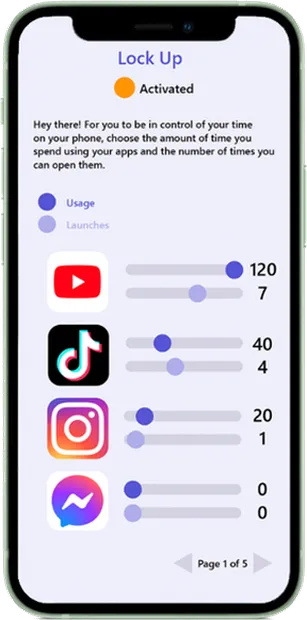
Lock Screen Revisited
App limits at a strictness you choose.
Commitment devicesSetting your own limits in advance is a pre-commitment. Choosing the strictness yourself keeps the sense of autonomy that parent-imposed limits take away.
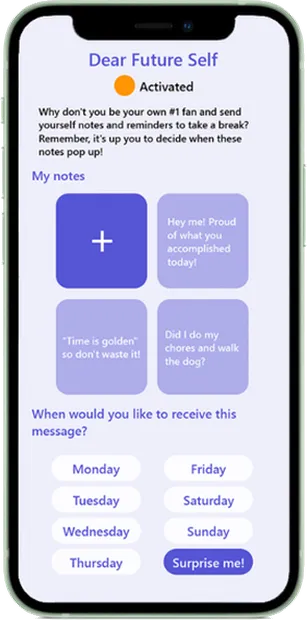
Dear Future Self
Notes to yourself that pop up and prompt reflection.
Present biasPeople favour what feels good now over what they want later. A note from your past self brings your longer-term goals into the moment.
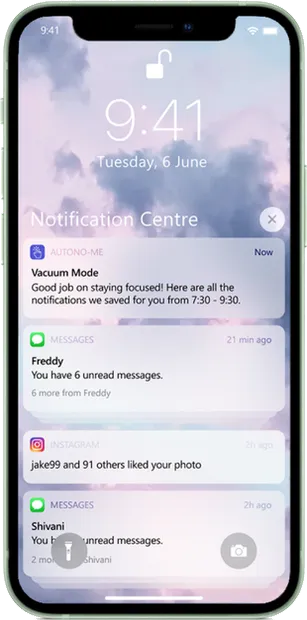
Vacuum Mode
Notifications held back during focus time and delivered in batches.
Intermittent rewardsUnpredictable notifications work like a variable reward and keep people checking. Batching them makes rewards predictable and cuts interruptions.
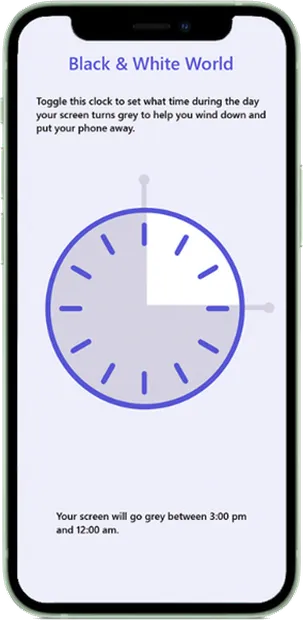
Black & White World
Your screen turns greyscale at times you set.
SalienceBright colours make apps more rewarding to look at. Greyscale lowers that visual pull, especially in the evening.
Progress is shown neutrally, with colour cues instead of streaks, rewards or stats. Rewards can crowd out the motivation to change for your own reasons, which is the opposite of what the app is for.
The study plan (phase 2, solo)
To show how we’d know whether the concept worked, I designed a four-week pre/post study with 260 participants aged 11–14 from varied socioeconomic backgrounds. It was a plan, not a study that was run: the point was rigour in evaluation, and care around researching with young people.
What it measured
Smartphone use, wellbeing and self-control, using validated scales (SAS, BSPWB-A, BSCS) before and after four weeks.
Who took part
260 young people aged 11–14, recruited across socioeconomic backgrounds so results weren't skewed to one group.
Ethics
Parental consent and the young person's own assent, confidentiality, and the right to withdraw at any time.
Measuring change
The same validated scales before and after, so any change could be measured rather than assumed.